Save your spot

Live eventA single Agent, 3 surfaces

Introducing the AG-UI Dojo: A Learning Tool to Help You Ship Faster
By Nathan Tarbert and Eli Berman
September 10, 2025

Introducing the AG-UI Dojo: A Learning Tool to Help You Ship Faster

Building AI agent frontends? You've probably hit the usual roadblocks: streaming updates that break, state bugs that make no sense, and tool calls that require way too much setup.

The AG-UI Dojo fixes that problem. It's a collection of working examples you can actually visualize and use.

What Makes Up the Dojo?

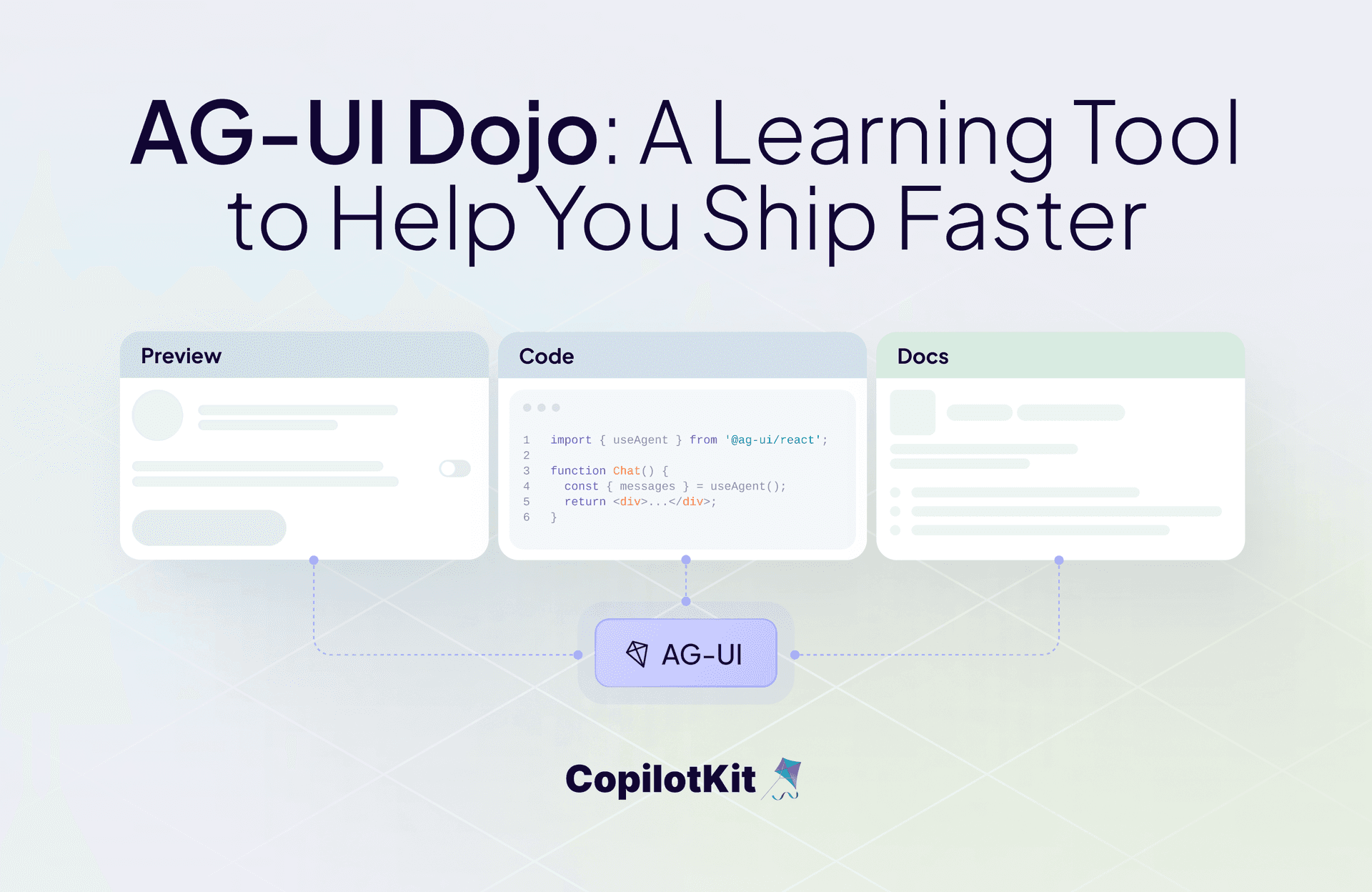
We built this with three parts:

  • Preview: Run the demo. See how it actually behaves.
  • Code: Check out the implementation. No hunting through repos.
  • Docs: Official specs and guides, right next to the code.

You can visualize it, understand it, and then use it. Our goal was to make it simple for developers who just want to see something working fast.

What the Demos Cover

Six core features, in its own "hello world" style examples:

  • Agentic Chat: Streaming chat with tool hooks built in
  • Human-in-the-Loop: Agent planning that waits for user input
  • Agentic Generative UI: Long tasks with UI that updates as you go
  • Tool-Based Generative UI: A haiku generator that renders images nicely in the chat
  • Shared State: Agent and UI stay perfectly synced
  • Predictive State Updates: Real-time collaboration with the agent

Each demo shows one building block. Put them together, and you get real agent apps.

A Learning Tool

The Dojo works as both a learning tool and a debugging resource. Our documentation calls it "learning-first" - you walk through each capability and see the code that makes it work.

It's also your implementation checklist for building new integrations. Run through the demos, and you'll know your AG-UI setup handles everything properly.

Common problems: event ordering, payload issues, and state sync bugs.

You can troubleshoot all of that here before you ship.

Faster Development

Three things:

  1. Faster learning - see the code working, not just sitting in documentation
  2. Less complexity - bite-sized demos instead of overwhelming examples
  3. Better debugging - validate your setup before production

Getting Started

Try the Dojo. Click through the previews, check the code tabs, and read the docs.

Use it when you're building your own agent UIs. These demos work as reference implementations and testing grounds for your integration. Check out the Dojo source code here.

We’d love to know how this tool has helped your team. Reach out to book a meeting; we take your feedback seriously.

Want to learn more?

Happy Building!

Top posts

See All
Introducing WebMCP for CopilotKit
Eli Berman September 3, 2026
Introducing WebMCP for CopilotKitYour frontend tools shouldn't be locked to one copilot. WebMCP support is now live in CopilotKit: every tool you register with useFrontendTool is discoverable and callable by any WebMCP-compatible browser agent — ChatGPT Atlas, Comet, Dia, and whatever comes next. Opt-in per tool, auto-register on mount, works across React, Vue, Angular and more. Open source and requires just one line of config.
Slack Agents Night: OpenTag running on the Channels SDK
Anmol Baranwal and Sofía Sánchez-ZárateSeptember 2, 2026
Slack Agents Night: OpenTag running on the Channels SDKWe hosted Slack Agents Night with WorkOS in San Francisco, where Sofía from our team demoed Kite and OpenTag running on the Channels SDK. Kite drafted a real PR from a Slack thread, rendered native Block Kit components, and ran alongside Antigravity in the same conversation. Here's the full recording plus a breakdown of how the Channels SDK puts any AG-UI agent into Slack and Teams.
OpenBot passes 3,500 GitHub stars! Here's what's new in v0.0.5
Eli Berman September 1, 2026
OpenBot passes 3,500 GitHub stars! Here's what's new in v0.0.5OpenBot just crossed 3,500 GitHub stars, and v0.0.5 has tons of new features. Bots can now answer from Google Drive and Notion, hand off to each other, run on a schedule, and route untagged messages on their own. You can take the wheel of a Bot's browser mid-task, ship skills for smarter tool use, sign in with enterprise SSO, deploy via Helm on AWS, dry-run boundary rules, and lean on a wide security hardening pass. Open source and self-hostable! Check it on GitHub.
Are you ready?

Stay in the know

Subscribe to our blog and get updates on CopilotKit in your inbox.