Save your spot

Live eventA single Agent, 3 surfaces

Introducing the AG-UI Protocol CLI
By Nathan Tarbert
September 4, 2025

Building agentic applications just got a whole lot easier.

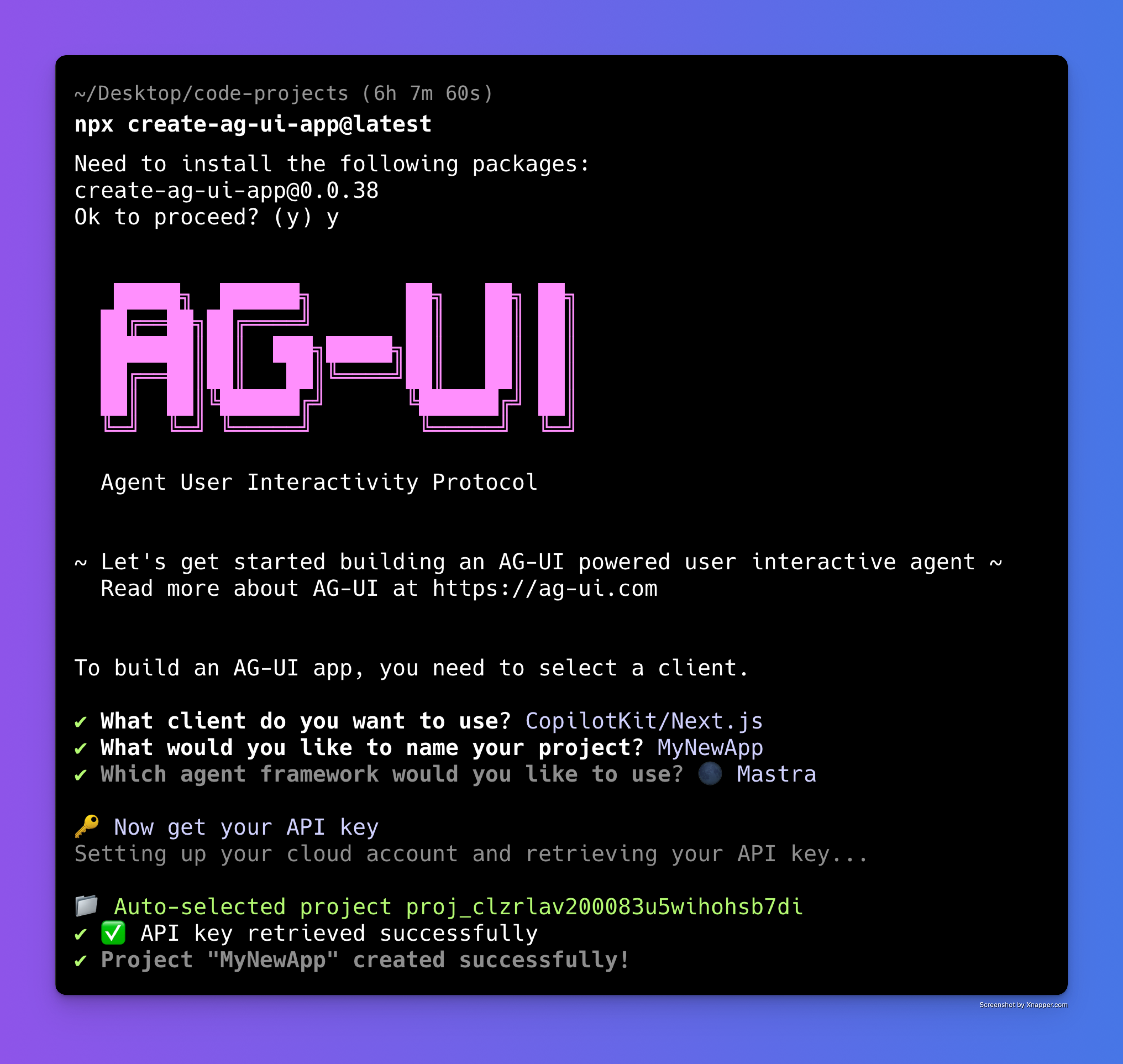
We’re excited to release the AG-UI protocol CLI flow- the quickest and easiest way to get started with AG-UI in under two minutes.

Why this matters

Most developers want to test ideas fast without spending hours wiring up configs and boilerplate. The CLI flow solves that by giving you a zero-friction way to:
  • Spin up a new project from scratch
  • Plug into all major frameworks out of the box
  • Or run with our standalone terminal client if you prefer a lightweight setup and are curious about creating your own client integration.
__wf_reserved_inherit

In other words, you can go from nothing to a running agentic application without touching a line of setup code.

How it works

  1. Install the CLI → one command to set everything up npx create-ag-ui-app@latest.
  2. Choose your framework → React, Next.js, Vite, or go terminal-only.
  3. Start coding → you’re instantly connected to the AG-UI protocol, ready to build interactive, agent-powered experiences.

The CLI flow generates the right project structure, wires in AG-UI events, and leaves you with clean, production-ready scaffolding you can actually build on.
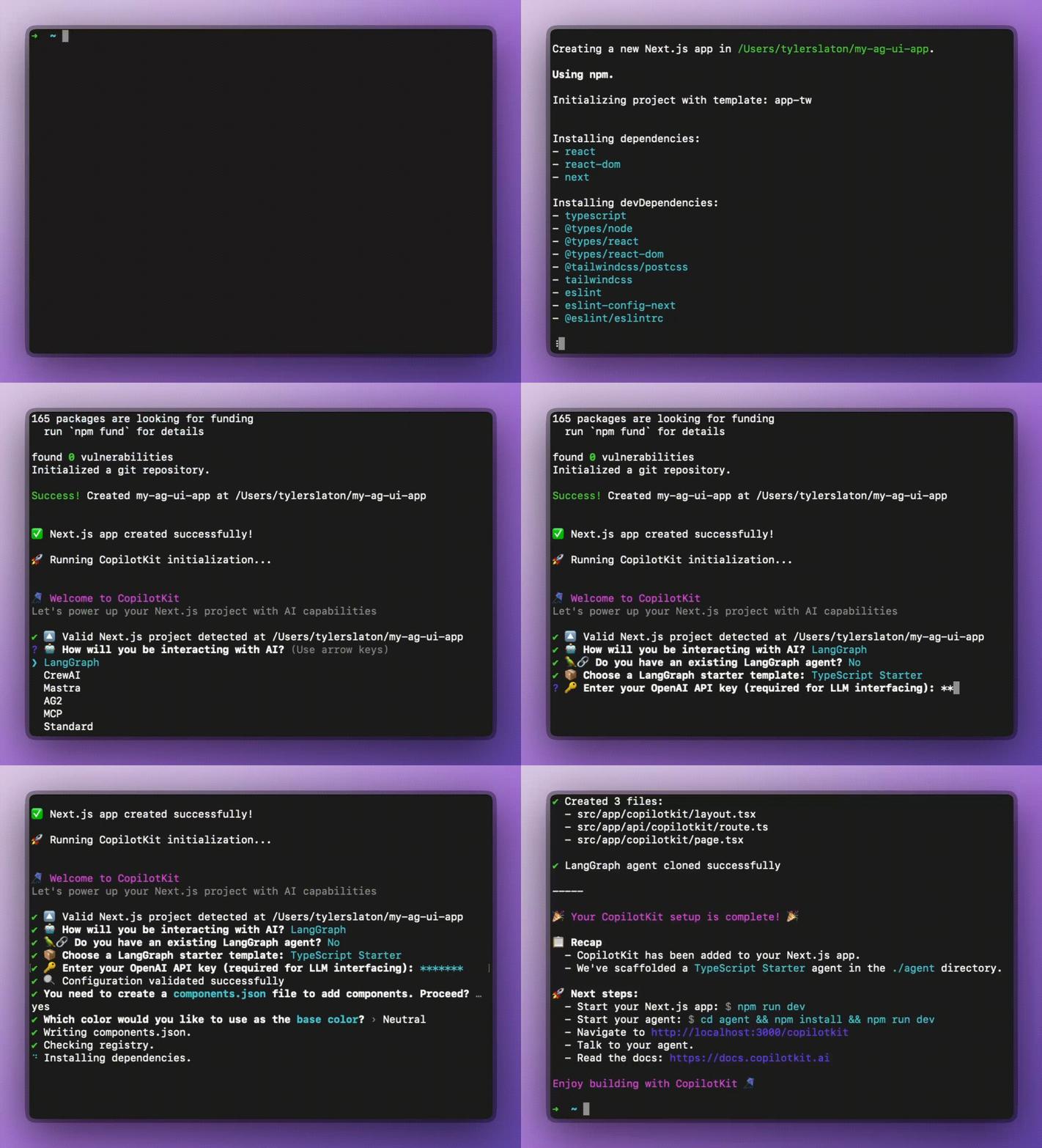
Demo GIF

Why developers love it

  • Speed → Get to “Hello Agent” in under 2 minutes.
  • Flexibility → Works across agentic frameworks and terminal environments.
  • Extensibility → everything you scaffold is ready for customization.

Try it today

If you’ve been curious about AG-UI but didn’t want to agonize over setup, I invite you to check it out. The CLI flow is the fastest way to experience the AG-UI protocol and start building agentic apps from scratch.

👉 Check out the AG-UI Protocol on GitHub

👉 Join the growing community of developers building agentic apps
Top posts

See All
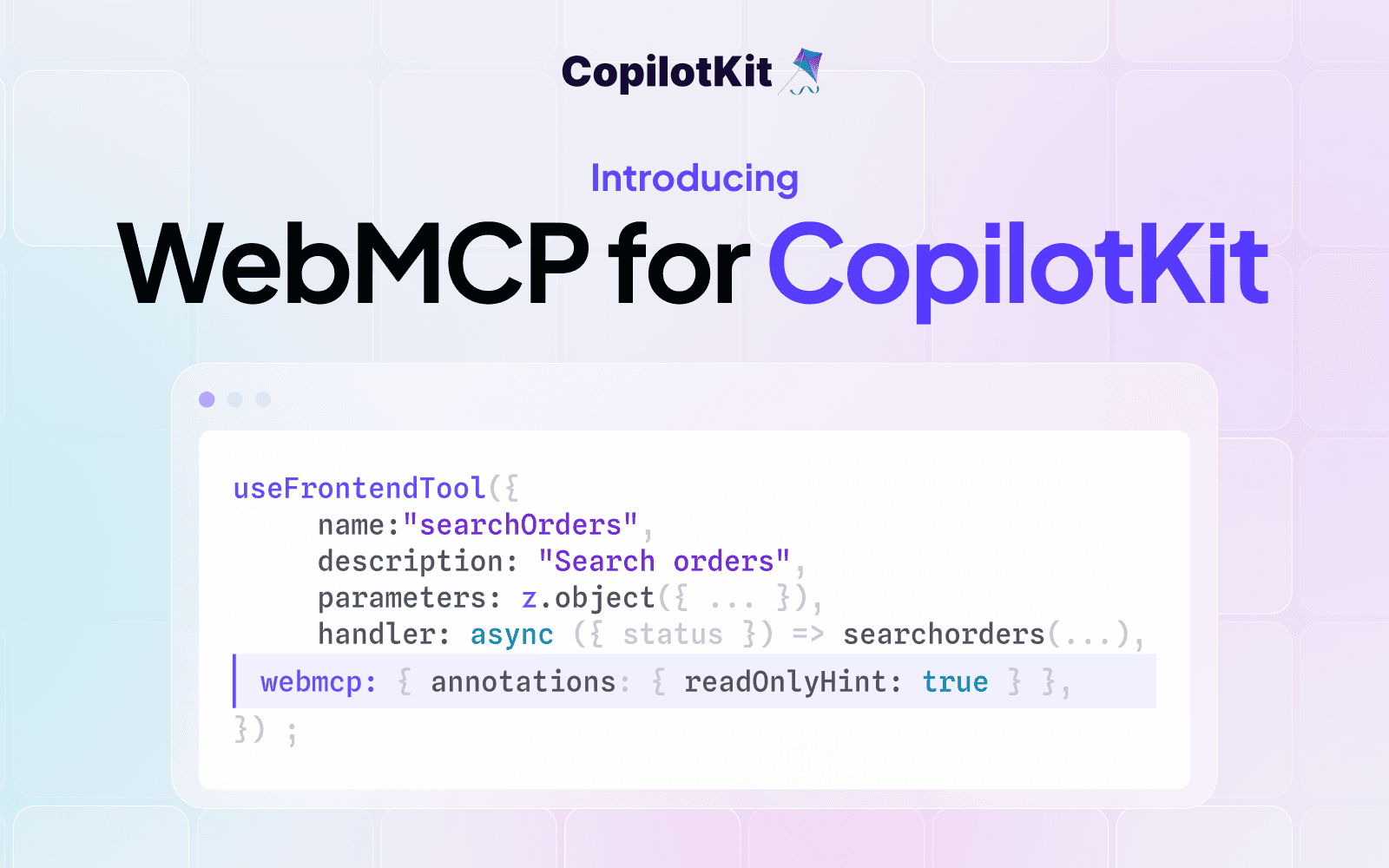
Introducing WebMCP for CopilotKit
Eli Berman September 3, 2026
Introducing WebMCP for CopilotKitYour frontend tools shouldn't be locked to one copilot. WebMCP support is now live in CopilotKit: every tool you register with useFrontendTool is discoverable and callable by any WebMCP-compatible browser agent — ChatGPT Atlas, Comet, Dia, and whatever comes next. Opt-in per tool, auto-register on mount, works across React, Vue, Angular and more. Open source and requires just one line of config.
Slack Agents Night: OpenTag running on the Channels SDK
Anmol Baranwal and Sofía Sánchez-ZárateSeptember 2, 2026
Slack Agents Night: OpenTag running on the Channels SDKWe hosted Slack Agents Night with WorkOS in San Francisco, where Sofía from our team demoed Kite and OpenTag running on the Channels SDK. Kite drafted a real PR from a Slack thread, rendered native Block Kit components, and ran alongside Antigravity in the same conversation. Here's the full recording plus a breakdown of how the Channels SDK puts any AG-UI agent into Slack and Teams.
OpenBot passes 3,500 GitHub stars! Here's what's new in v0.0.5
Eli Berman September 1, 2026
OpenBot passes 3,500 GitHub stars! Here's what's new in v0.0.5OpenBot just crossed 3,500 GitHub stars, and v0.0.5 has tons of new features. Bots can now answer from Google Drive and Notion, hand off to each other, run on a schedule, and route untagged messages on their own. You can take the wheel of a Bot's browser mid-task, ship skills for smarter tool use, sign in with enterprise SSO, deploy via Helm on AWS, dry-run boundary rules, and lean on a wide security hardening pass. Open source and self-hostable! Check it on GitHub.
Are you ready?

Stay in the know

Subscribe to our blog and get updates on CopilotKit in your inbox.