Eyebrow Background Glow

MCP Apps: Bring MCP Apps to your users!

The Three Types of Generative UI: Static, Declarative and Fully Generated
By Eli Berman
September 12, 2025

The Three Types of Generative UI: Static, Declarative, and Fully Generated

Why Generative UI matters

“Generative UI” sounds magical until you ship it. In production, UI isn’t just pixels; it’s contracts: accessibility, performance, usability, analytics, and safety. The trick is to let AI compose your UI without giving up control. Let’s go ahead and break down the pragmatic spectrum you can actually deploy today.

We’ll cover:

  1. The three approaches to Generative UI
  2. Clear examples of each
  3. Pros and cons in real-world usage
  4. When to choose which approach

The Spectrum at a Glance

Static UI: Pre‑built components for specific purposes. Most common in production.

Declarative UI (mix-and-match): AI assembles theUI from a fixed registry of components. Flexible yet safe.

Fully generated UI: AI outputs raw HTML/CSS. Powerful but brittle. Best used at build‑time, not runtime.

The general rule of thumb is that the more freedom you give the model, the more you must invest in guardrails!

1) Static UI Components

For this, AI doesn’t design or assemble the UI. Instead, developers pre‑build specific components for specific needs. AI only fills parameters (like text or numbers).

Example:

  • A dedicated weather card that always shows city + temperature.
  • A line chart card that always renders a chart with fixed formatting.

Pros:

  • Maximum reliability.
  • Easy to validate, monitor, and ensure accessibility.
  • Best for critical workflows (checkout, compliance, data integrity).

Cons:

  • Least flexible. All components must be built in advance.
  • Slower to adapt to unexpected requests.

Reality check: This is the default choice for most production-critical surfaces. It’s not flashy, but it guarantees reliability, which is what matters most in high‑stakes workflows.

2) Declarative UI (Mix & Match)

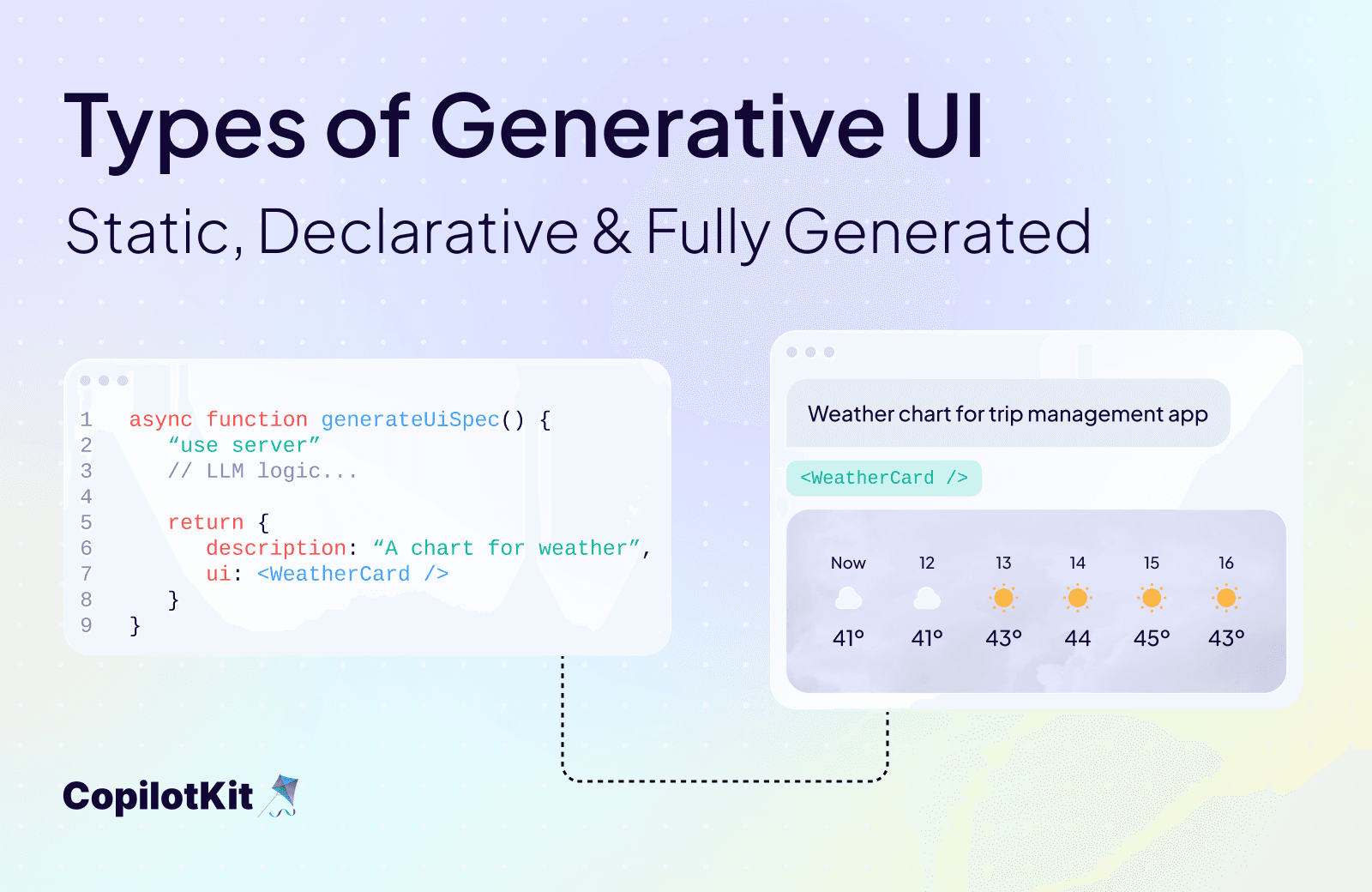
Here, AI assembles UI from a registry of pre‑approved components. Each component has flexible props (title, subtitle, icons, charts, etc), but the set of available building blocks is finite.

Example:

  • AI generates a dashboard by selecting WeatherCard, LineChart, and TableCard from a registry.
  • Each block is predictable but composable in infinite combinations.

Pros:

  • Safe and consistent design.
  • Flexible enough for many dynamic use cases.
  • Easier to test and maintain than raw generation.

Cons:

  • Less freedom than fully generated.
  • Requires upfront investment to design and maintain the registry.

Reality check: This is the sweet spot for most agentic apps. It balances creativity with safety. You get variety without chaos, and the registry gives you guardrails that make the output reliable.

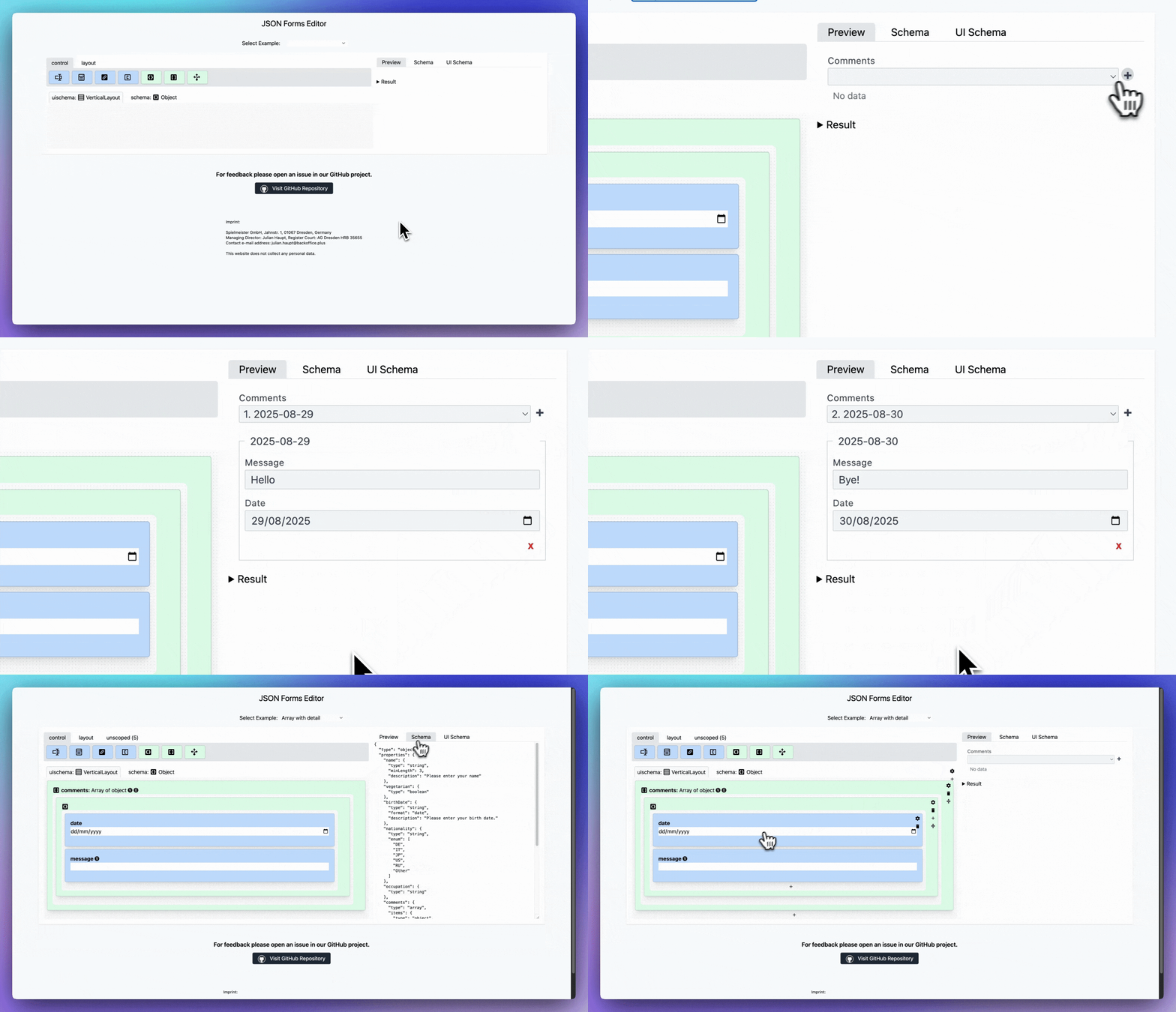
Here is an example of Declarative UI in action: “Array with Details” (JSON Forms)
Demo GIF

Selecting “Array with details” in the JSON Forms UI schema instantly renders a nested editor in the Preview. Proof that the UI behavior comes from configuration, not code.

You can play around with different examples here.

3) Fully Generated UI

In this type of generative UI, AI generates and outputs raw HTML or CSS for the interface.

Example:

  • Asking an agent to generate a new settings page, and it writes the full markup.

Pros:

  • Maximum flexibility and creative freedom.
  • Great for prototypes, demos, or design scaffolding.

Cons:

  • Hard to control style and accessibility.
  • Insecure (risk of broken markup, XSS, layout issues).
  • Inconsistent look and feel.

Reality check: Use for build‑time codegen or prototyping. It’s great for hackathons or scaffolding, but too unpredictable and unsafe for live users. Generally, you should avoid them in runtime production apps.

Here is an example of Fully Generated UI in action: “Build a Landing Page” (with Loveable)
Demo GIF

Prompt → page.

With a single prompt, AI generates a complete, responsive page and code in seconds, with no prebuilt components. A fully generated UI! Notice that some buttons don't work, the color scheme was randomly chosen, and context is generated entirely at runtime.

So When to Choose Which?

Static

Best for mission-critical flows (payments, compliance, reporting).
✅ Most reliable, accessible, and consistent.
❌ Inflexible, requires upfront component design.

Declarative

Best for dashboards, chat-driven assistants, and multi-modal apps.
✅ Balanced flexibility and safety.
❌  Requires ongoing registry upkeep.

Fully Generated

Best for prototyping, build-time scaffolds, and experiments.
✅ Maximum creativity and fast iteration.
❌  Brittle and unsafe at runtime.

Where CopilotKit Fits

Generative UI is a spectrum. At one end, you have static, reliable UI for critical paths. In the middle, you get declarative, mix‑and‑match dashboards. And at the other end, fully generated HTML for experiments.

The key is to match freedom to risk tolerance. Start static, move to declarative for richer experiences, and reserve fully generated UI for controlled build‑time creativity.

Most production apps today lean on static or declarative generative UI. CopilotKit provides built-in primitives (typed actions, shared state, and generative UI helpers) that make these approaches much easier to implement without reinventing the wheel. If you’re exploring this spectrum in practice, CopilotKit can give you a head start.

But remember, the key ideas here apply broadly, no matter what stack or framework you choose.

Want to learn more?

Book a call and connect with our team

Please include who you are, what you're building, and your company size in the meeting description, and we'll help you get started today!
Top posts

See All
Reusable Agents Meet Generative UIs
Anmol Baranwal and Nathan TarbertMarch 12, 2026
Reusable Agents Meet Generative UIsOracle, Google, and CopilotKit have jointly released an integration that standardizes how AI agents are defined, how they communicate with frontends in real time, and how they describe the UI they require. The integration connects three distinct layers. Oracle's Open Agent Specification (Agent Spec) provides a framework-agnostic way to define agent logic, workflows, and tool usage once and run it across compatible runtimes. AG-UI handles the live interaction stream between the agent and the frontend, keeping tool progress, state updates, and user interactions synchronized while the agent is executing. A2UI, developed by Google, allows agents to describe the UI they need - forms, tables, multi-step flows - as structured JSONL, which CopilotKit then renders automatically inside the host application. Previously, each of these layers required custom implementation per project. This release establishes a shared contract across all three, meaning agent developers can define the agent once, expose a standardized interaction stream, and have the frontend render structured UI surfaces without writing custom wiring for each tool or workflow. The practical impact is reduced integration friction across the ecosystem - agent runtimes and frontend clients that implement these standards can interoperate without lock-in to a specific framework or vendor.
The Developer's Guide to Generative UI in 2026
Anmol Baranwal and Nathan TarbertJanuary 29, 2026
The Developer's Guide to Generative UI in 2026AI agents have become much better at reasoning and planning. The UI layer has mostly stayed the same, and it is holding back the experience. Most agent experiences still rely on chat, even when the task clearly needs forms, previews, controls, or step-by-step feedback. Generative UI is the idea that allows agents to influence the interface at runtime, so the UI can change as context changes. This is usually done through UI specs like A2UI, Open-JSON-UI, or MCP Apps. We'll break down Generative UI, the three practical patterns, and how CopilotKit supports them (using AG-UI protocol under the hood).
Bring MCP Apps into your OWN app with CopilotKit & AG-UI
Anmol Baranwal and Nathan TarbertJanuary 22, 2026
Bring MCP Apps into your OWN app with CopilotKit & AG-UIToday, we are excited to announce CopilotKit’s support for MCP Apps. Now, MCP servers can finally ship an interactive UI that works out of the box in real agent applications.
Are you ready?

Stay in the know

Subscribe to our blog and get updates on CopilotKit in your inbox.